tubedrop: how I built a simple YouTube downloader for Mac
Download YouTube videos in good quality on a Mac without ads, redirects, or forced channel subscriptions. Here is how I wrapped the open-source yt-dlp into a clean app in an evening.
- tubedrop
- youtube
- macos
- open-source
- yt-dlp
Every now and then I need to save a video from YouTube. Usually right before a flight or a trip with no signal, when I still want something to watch. And every time it is the same story.
Why downloading a YouTube video became so painful
You open the first converter site you find, and it begins: popup ads, fake “Download” buttons, redirects to casinos, an offer to install a “download accelerator”. Around the third step it asks you to join a Telegram channel to “unlock” the download. And the quality is still 360p anyway, because those sites never serve the good formats.
I got tired of it. I just want to paste a link and get a file, with no hoops to jump through and no YouTube Premium subscription just to save a couple of videos once in a while.
The solution already existed; it just wasn’t convenient
I had known about yt-dlp for a long time. It is an open-source downloader and the gold standard. Together with ffmpeg it does everything I need, for free. The only problem: it is a command line with flags.
I download rarely and in a hurry, and I didn’t want to look up the right command and the right keys every single time. A great tool that is awkward for one-off tasks.
By then I had come across kaifcodec/ytconverter: a repo that glues yt-dlp and ffmpeg together cleanly into one flow. The hard part was already done for me. All that was missing was the thing I wanted myself: a proper interface.
What I ended up with
I took ytconverter as the core and, in an evening, built my own UI on top of it with Claude Code. That is how tubedrop was born: a local macOS app where the whole flow fits in a single window.
Paste a link, see a preview of the video, pick a quality, and hit download. The file lands on your Mac. No sites, no account, no ads. Everything runs locally, and the video never leaves your computer.
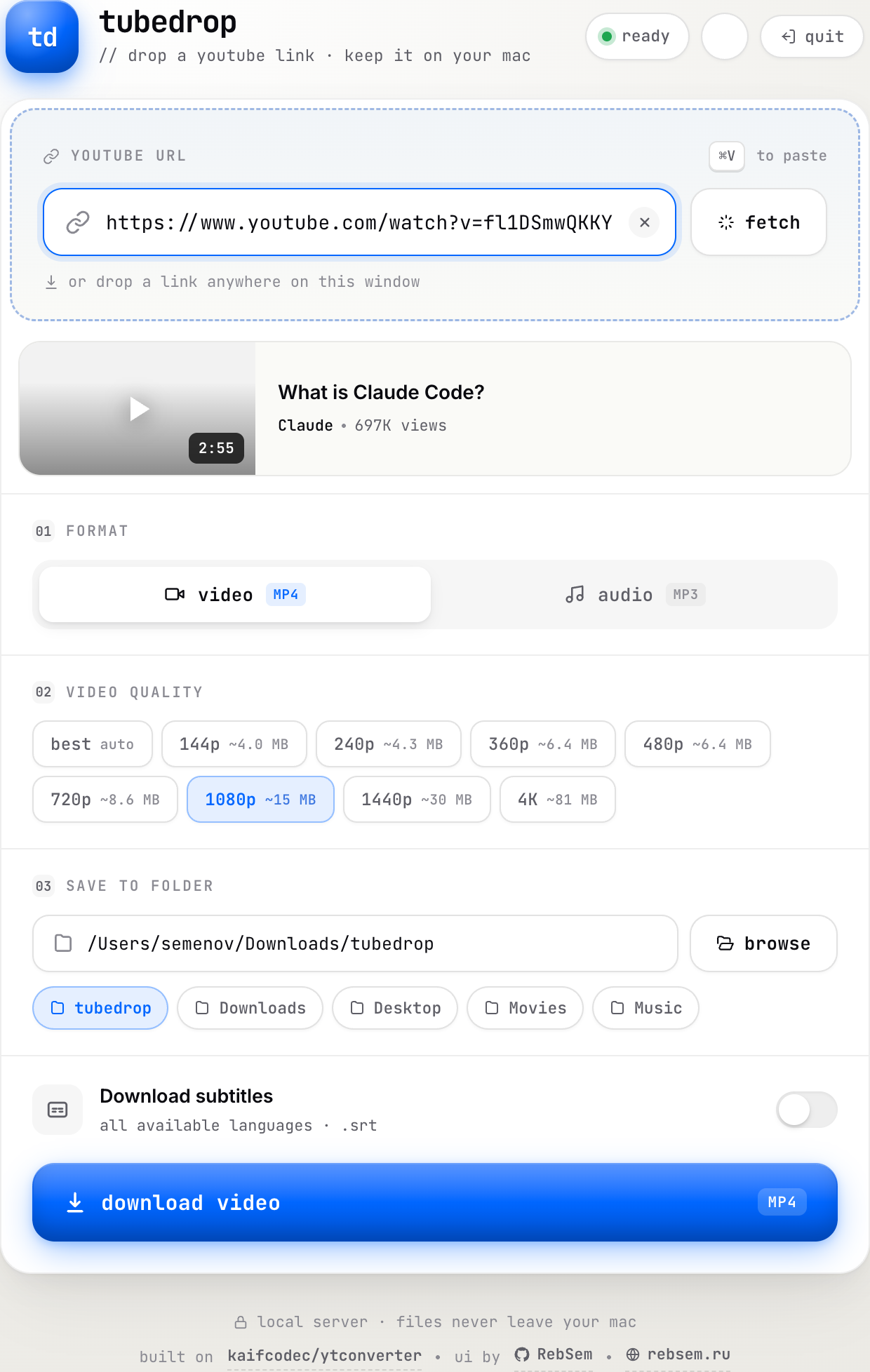
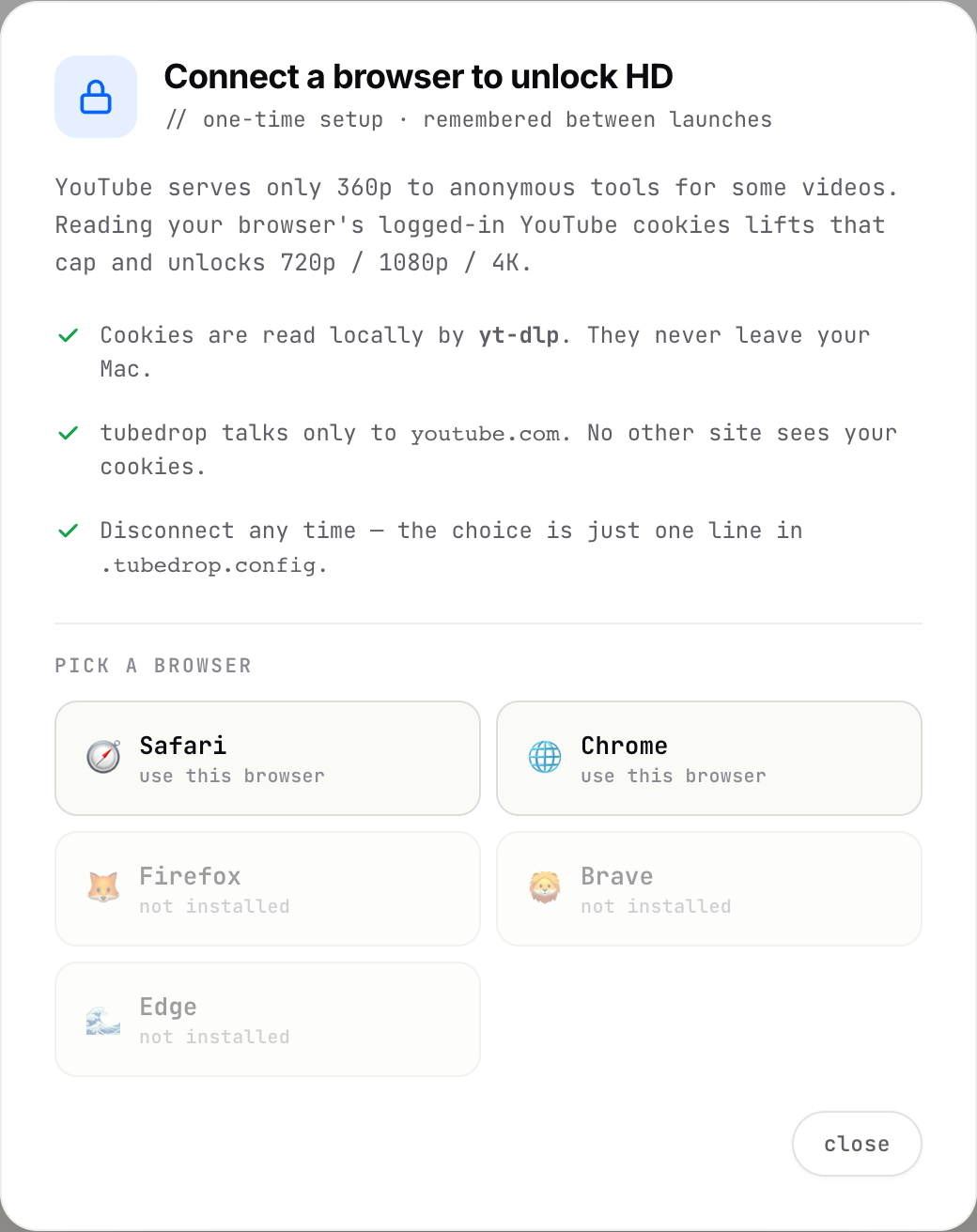
There is one honest catch about quality. Sometimes YouTube hides formats above 360p from anonymous downloaders. To lift the cap to 720p, 1080p, and 4K, the app can read the YouTube cookies from a browser you are already logged into. That is exactly the kind of sentence that should make you cautious, so tubedrop explains the trade-off before it asks for anything: the cookies are read locally by yt-dlp itself, they never leave the Mac, and the app only ever talks to youtube.com.
Grab it
tubedrop is free and open source under the MIT license. If you are on a Mac and still without a YouTube Premium subscription, it is a convenient way to save videos offline without the sketchy sites.
- Download it and read the code: github.com/RebSem/tubedrop
- The core it is built on: kaifcodec/ytconverter
This is a typical story for me: I hit my own pain point, found a solid tool with no convenient wrapper, wrapped it so that more than just me could use it, and put it out in the open. A deeper product write-up lives in the tubedrop case study.